An Oblioria assessment covers one AI system. Your team answers a structured online questionnaire, a consultant assigned to your company reviews the answers and asks follow-up questions where needed, and you receive a report. It sets out, from your answers and after expert review, your likely role, the risk category and the obligations that apply, with their dates.
Your consultant releases the report. Nobody can change it afterwards.
Step 1 We open your assessment
We set up a private workspace for your company and send your first administrator an invitation by email. For each AI system you want reviewed, we add an assessment to your workspace. It shows as ready on your dashboard.
Each assessment has one person on your team who is responsible for it. By default this is your main contact with us. Your administrators can change it at any time.
The first step inside the assessment is to name the AI system it covers. You can add a new one or pick one from your company's AI inventory, a lasting list of your AI systems. In the app, each AI system is called an AI use case.
Step 2 Your team answers together
Invite the people who know the answers
Your administrators invite colleagues by email, as participants or as administrators. Invitations expire if nobody accepts them, and nobody can join without one. Product, engineering, legal and privacy can each answer the parts they know.
One editor at a time
Only one person edits an assessment at a time, so answers never overwrite each other. Everyone else sees who is editing and can ask them to hand over. Your work saves as you type.
Questions that follow your answers
The questionnaire branches, so you only see the questions that apply to your system. Almost every question is multiple choice. If your answers show that the system has no link to the EU, the questions stop there and your consultant confirms that result. If you change an earlier answer and it adds a question you have not seen, we mark it as new so nobody misses it.
We explain why we ask
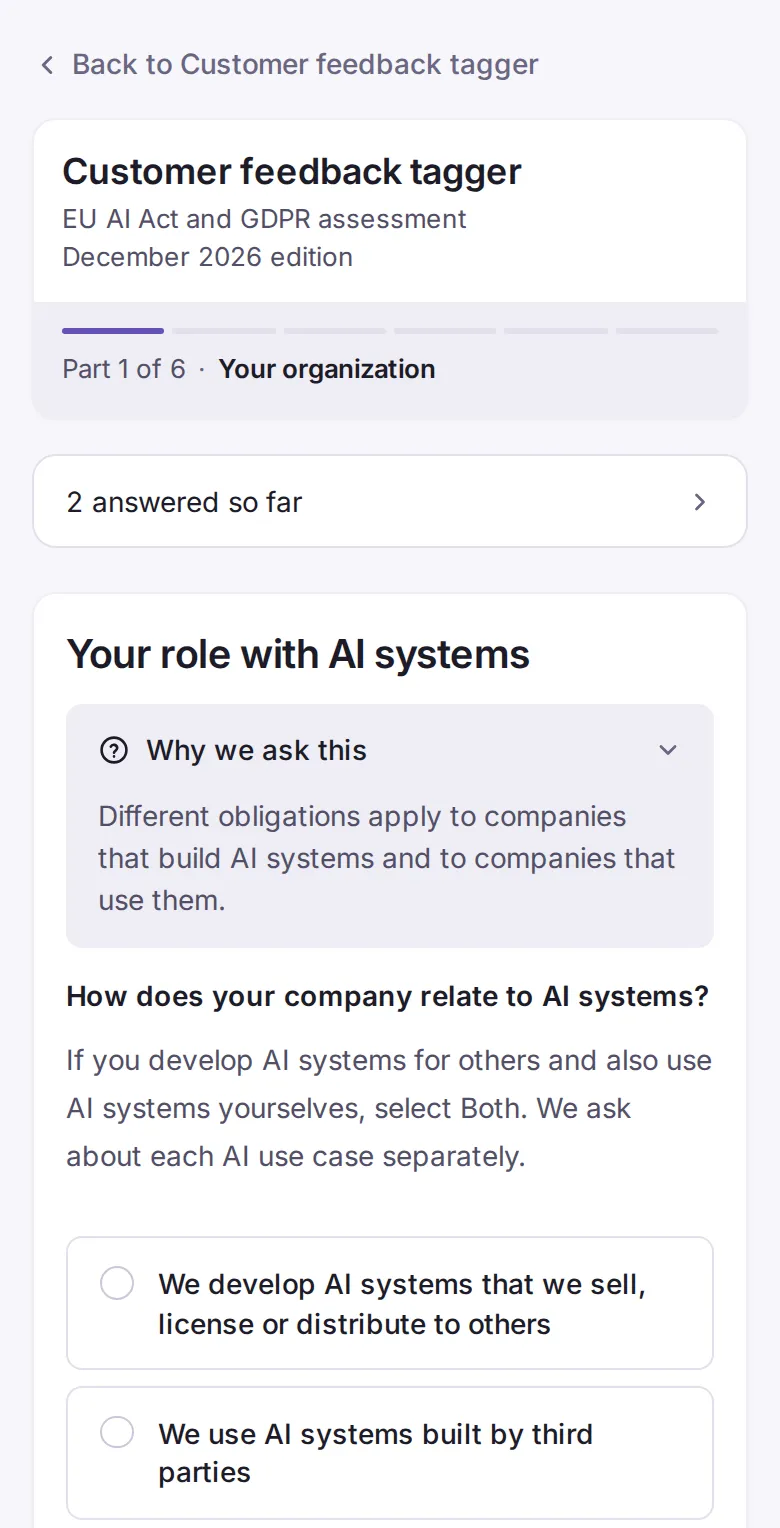
Every screen has a "Why we ask this" note. Two examples from the questionnaire:
Why we ask this
The EU AI Act bans certain uses of AI outright, so we ask about them for every AI use case.
Why we ask this
Under the GDPR, every use of personal data needs a legal basis, and some kinds of data need an extra condition. Your answers show which apply to this system.
QuestionnaireSample
A real Oblioria screen with sample data for a fictional company.
Where a question asks for a supporting document, you upload it in the platform. Files stay private, are checked for malware, are frozen with your submission and follow the same access rules as your answers. Where your consultant would need a document to be sure, they record that in the report as a limitation.
Step 3 You submit
Before you submit, a review page shows every answer on one page, grouped by topic. It flags anything still unanswered or still being edited, and you can go back and change any answer from there.
The person responsible for the assessment submits it after ticking this statement:
I confirm that I have reviewed this submission and, to the best of my knowledge, the information is complete and accurate as of today.
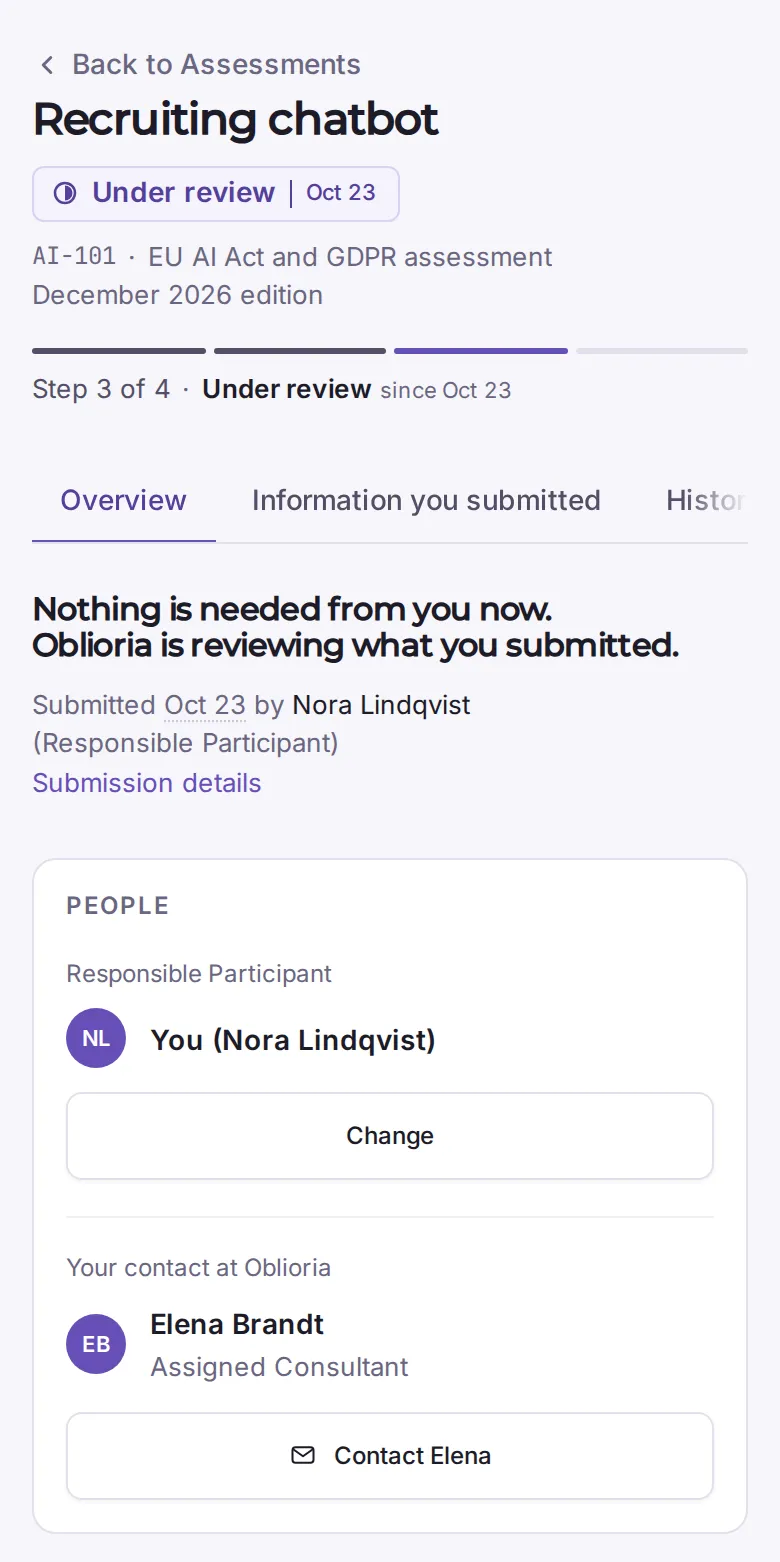
You get a receipt with a reference, the exact time of submission and the questionnaire edition it used. We keep a fixed copy of the submission with a checksum, so it can be shown later exactly as sent. Your consultant is notified, and the assessment shows as Under review.
Step 4 Expert review and follow-up questions
Checks first
Our checks run on exactly what you submitted. They are fixed rules, written in advance and tested against worked example cases before each questionnaire edition is published. They suggest a risk category, a role and the points your consultant needs to look at.
Then your consultant
Your consultant reads your answers and decides on each point the checks raise. They can correct a check, recording their reason, and they can add issues the checks did not raise. Your consultant reviews every report before it is released.
Follow-up questions
If something is unclear, your consultant sends a short set of follow-up questions. Each one points to one exact answer and says why it is asked. Your consultant can choose who on your team should answer. That person updates the answers in the platform. The person responsible for the assessment then confirms the changes, and the assessment goes back for review. You and your consultant can exchange messages about a request while it is open.
Your assessment shows as Under review until the report is released.
Under reviewSample
A real Oblioria screen with sample data for a fictional company.
Step 5 Your report
What does the report contain?
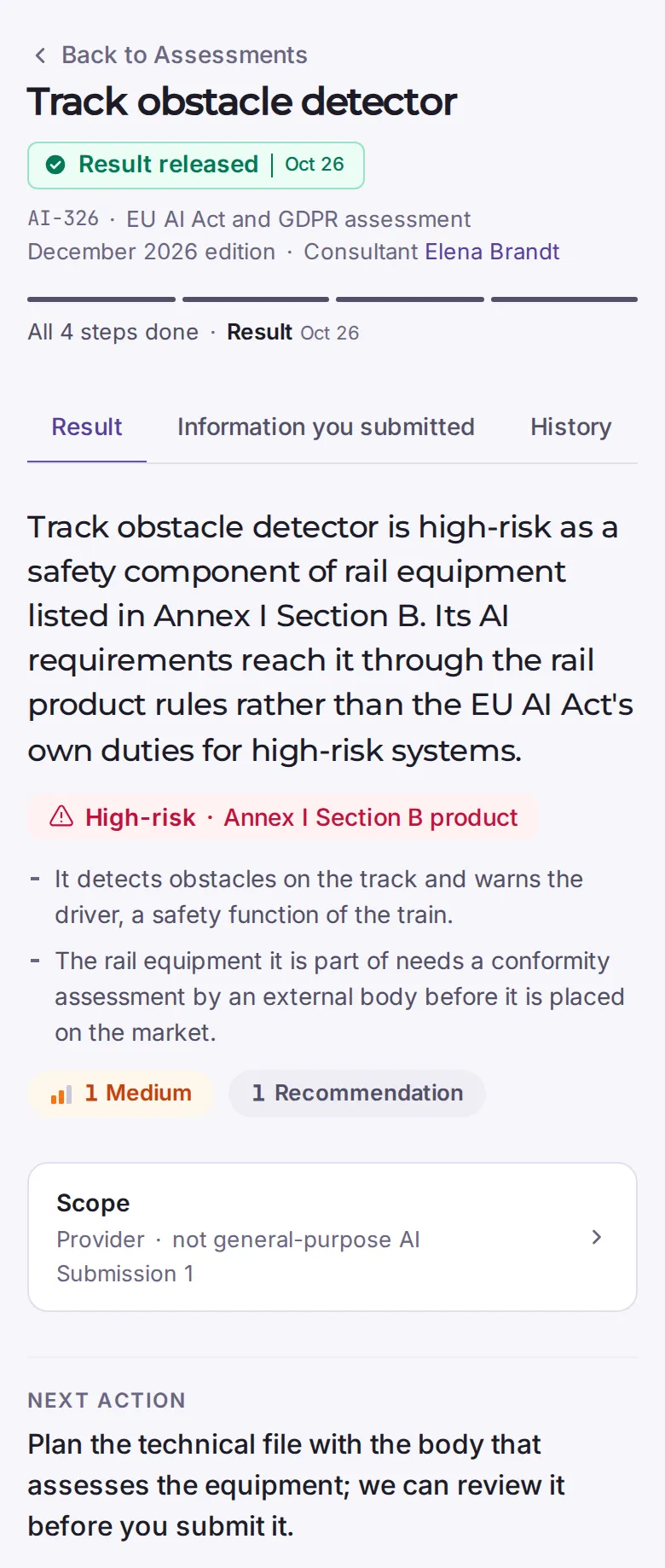
It covers one AI system. It sets out, from your answers and after expert review, your likely role, the risk category and the obligations that apply, with their dates. When the review is done, your consultant releases it, and the person responsible and your main contact are notified. The report contains:
Your role: provider, deployer, both, importer or distributor, or no role under the EU AI Act (provider and deployer explained)
Risk category: from prohibited practice and high-risk, through limited and minimal risk, to outside the Act
General-purpose AI: whether the system counts as a general-purpose AI model
Conclusion and key reasons
Findings, grouped: Needs attention, Recommendations, Uncertainties and limitations, No issues identified. Each item gives what was found, why it matters, the recommended outcome, a priority and the legal reference.
Dates: the legal deadline and its legal basis where the law sets one, or a recommended date
What you told us is in place
What this review did not cover
Next action
Sign-off: the name of the consultant who reviewed and released it, and a reference number
You read the report in your workspace. Next to it are the answers it is based on and the full history of the assessment. Once released, the report is a fixed copy with its own checksum, and nobody can change or withdraw it.
Results reportSample
A real Oblioria screen with sample data for a fictional company.
What happens after the report?
Start with the next action.
The report names the first step to take.
Assess your other AI systems.
Each AI system gets its own assessment and its own report. Ask for another assessment from your workspace, and we confirm it.
Ask your consultant.
Your workspace shows who your consultant is and how to reach them.
When things change.
If your system or the law changes, talk to us about a new assessment.
What the assessment does not do
It is not a certification.
Oblioria is not a notified body. We do not run conformity assessments or issue certificates or CE markings, and a report does not show that you comply.
It is not legal advice.
Your report is general information, not legal advice. Oblioria is not a law firm. Before you act on it, consider having a lawyer licensed in the relevant jurisdiction review it.
It is not a document audit.
The report is based on your answers, and it says so. It is not an audit of your company's documents.
It does not cover every law.
The assessment covers the EU AI Act and the GDPR. It does not cover other laws, such as US state AI laws or sector rules.
Want to see if it fits your company?
We're opening Oblioria to a first group of companies. Book a call to join it.